The Decision Every SaaS Founder Faces
Migrate a Website to Framer Without Losing Google Traffic

Zubair Ali Akbar
Moving your website to Framer from WordPress or Webflow? Here is what to protect, who does each job, and the order that keeps your Google traffic and your old page links working.
You want to migrate a website to Framer. Maybe it runs on WordPress or Webflow today.
Your real fear is simple. Will Google forget you, and will old links stop working?
A move does not have to cost you your search traffic. It needs a plan, and someone to own each job.
Quick answer. A move to Framer is a rebuild, not a copy and paste. Protect three things: your old page addresses, your page titles and descriptions, and your blog or case study content. Keep the old site running until you have checked the new one.
Why does moving a website put your Google traffic at risk?
Google knows your site by its page addresses. Think of a shop that moves down the road and leaves no sign on the old door. Regular customers turn up and find an empty unit.
Your old addresses are that door. If they stop working, visitors land on an error page and Google drops those pages over time. The fix is a signpost, called a redirect, on every old address that changes.
What moves on its own and what does not?
Very little moves by itself. A migration guide from a Framer studio calls the job a rebuild, not a one click transfer.
- Pages such as your home page are rebuilt by hand in the new design.
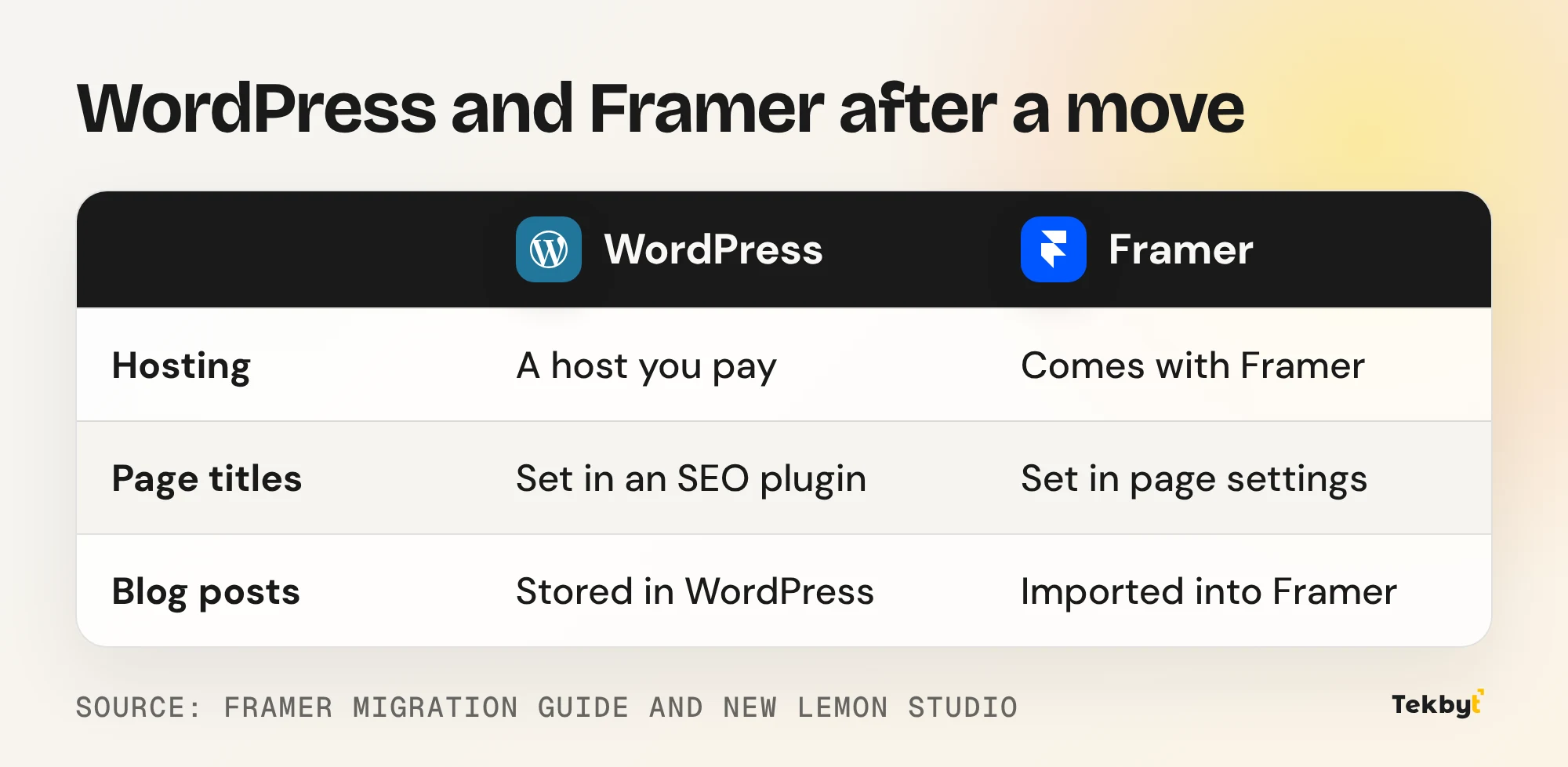
- Blog posts and case studies are exported, cleaned up and imported in batches.
- Forms and tools are connected again and tested end to end.
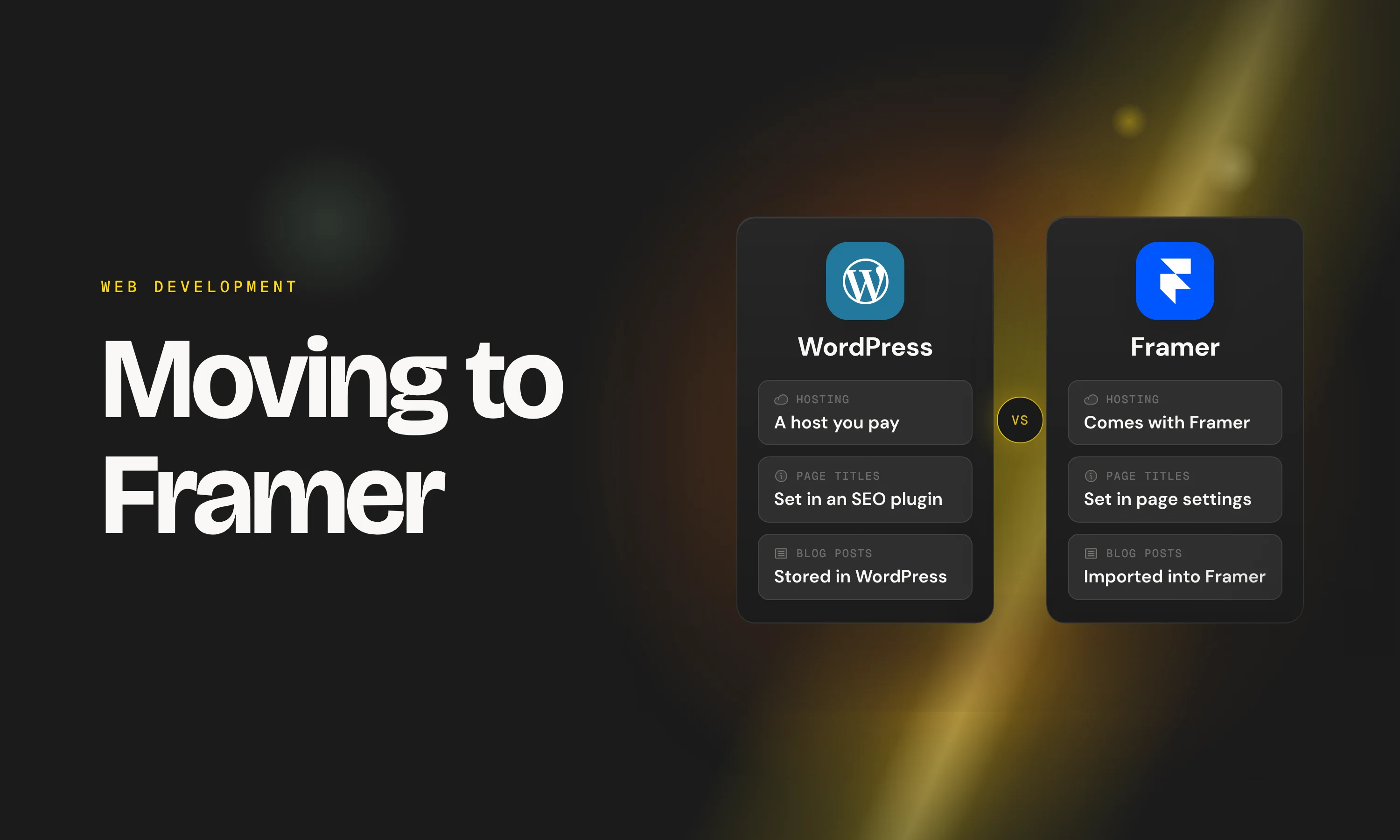
- Hosting comes with Framer, so you can drop the old host once the move is done.
Example: a dental clinic with a contact form should send a real test enquiry before launch. A form that looks right but sends nothing costs you patients.
What should you write down before anything moves?
Make one spreadsheet of every page on the old site. Framer's own guide says to list old addresses, new addresses, traffic and links for each page. This sheet is the heart of the whole move.
- Old address and the new address beside it.
- Visits and links that page gets today, so you know what matters most.
- Titles and descriptions (the text Google shows in search results), copied from your old SEO plugin or settings.
- Keep, merge or remove for each page.
Keep the same address wherever you can. A page that does not change address needs no signpost at all.
How do redirects keep your visitors and rankings?
A redirect sends anyone who visits an old address to the matching new page. Use permanent ones, because they tell Google the move is final.
Two rules from Framer's migration guide are worth remembering. Send a removed page to the closest related page, never to the home page. And keep the redirects in place for at least a year.
Also check which Framer plan includes redirects before you start. Plans change, so look at the current plan page.
Who does which job?
This is the part most guides skip.
A move needs both sides of the table. Your web team builds and connects things. You know your business and approve what stays.

If you are unsure which platform is right, start with our guide on Webflow, Framer and WordPress for a service business. If the old site simply feels tired, read what to fix first in a redesign before you move anything.
In what order should you migrate a website to Framer?
Build in private, switch once, then watch. This order keeps the old site safe until the new one is proven.
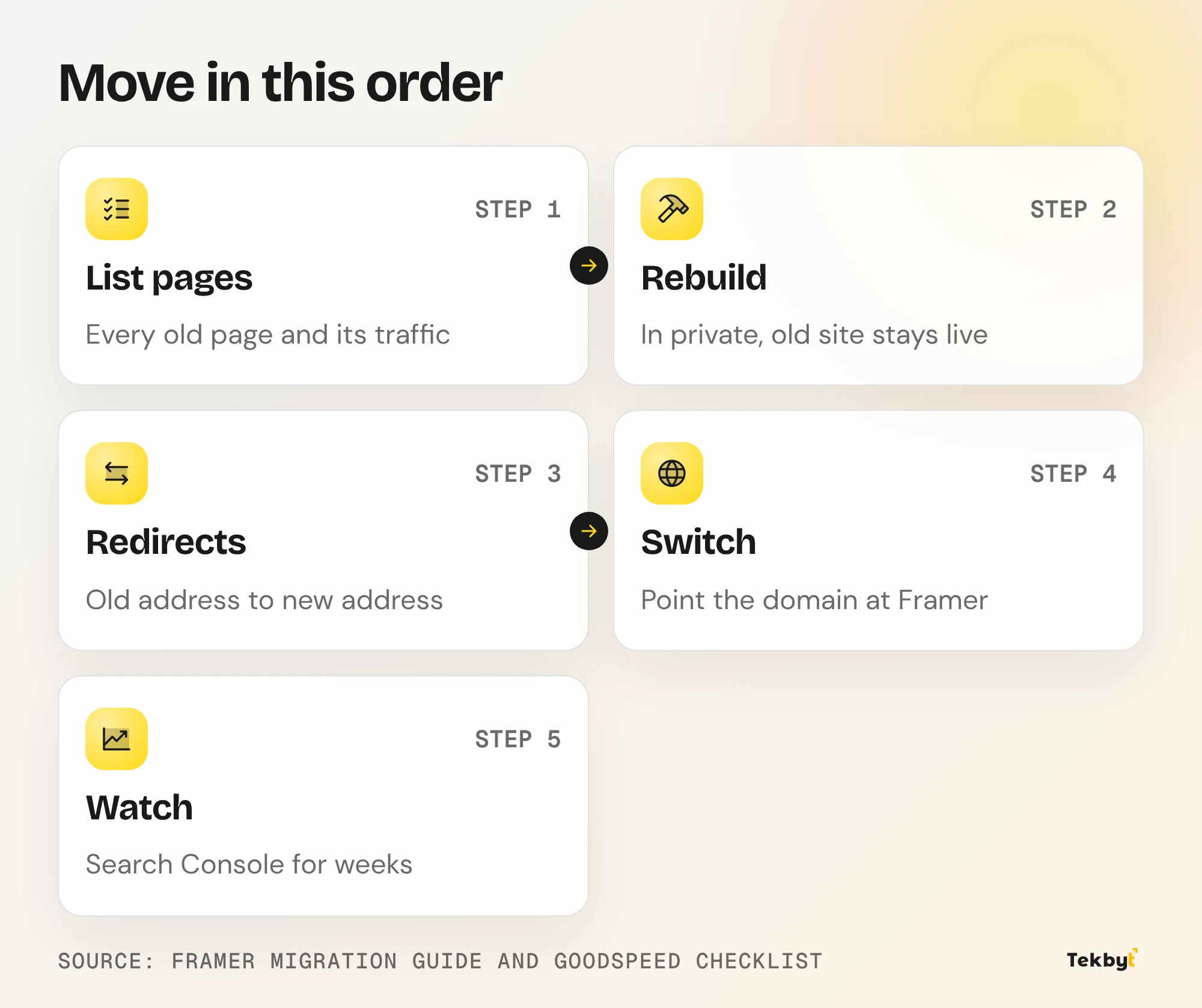
The Goodspeed checklist adds one more habit. Keep your old site and your email settings untouched until the new site has been stable for several weeks.
What should you check after launch?
Launch day is not the finish line. Open Google Search Console, the free tool that shows how Google sees your site, and submit your new sitemap. Then look for pages that show an error.
- Click your ten most important pages and make sure none show an error.
- Fill in every form once and confirm the message arrives.
- Watch Search Console for new missing pages, and add a redirect for each.
- Look at your visits again after a few weeks, and compare with the numbers you saved before the move.
Upkeep continues after launch too. Our guide on who does what in website maintenance shows how to split it.
The honest takeaway
Moving to Framer is safe when it is planned and risky when it is rushed. Skip the page list or the redirects and you will pay for it in lost visits. Do both, and most of your search traffic should carry over.
Are you thinking of moving your site and worried about your Google traffic? Tekbyt designs and builds business websites, including moves to Webflow, Framer, WordPress, Shopify and custom code. Book a 30 minute call.