
Home
Work
What in the Kitchen?

Recipe & Credit Management Dashboard

Web Dashboard
Food Tech
2026
Laptop screen showing SpecBooks website with design-centric kitchen fixtures and kitchen photo.

About the Project

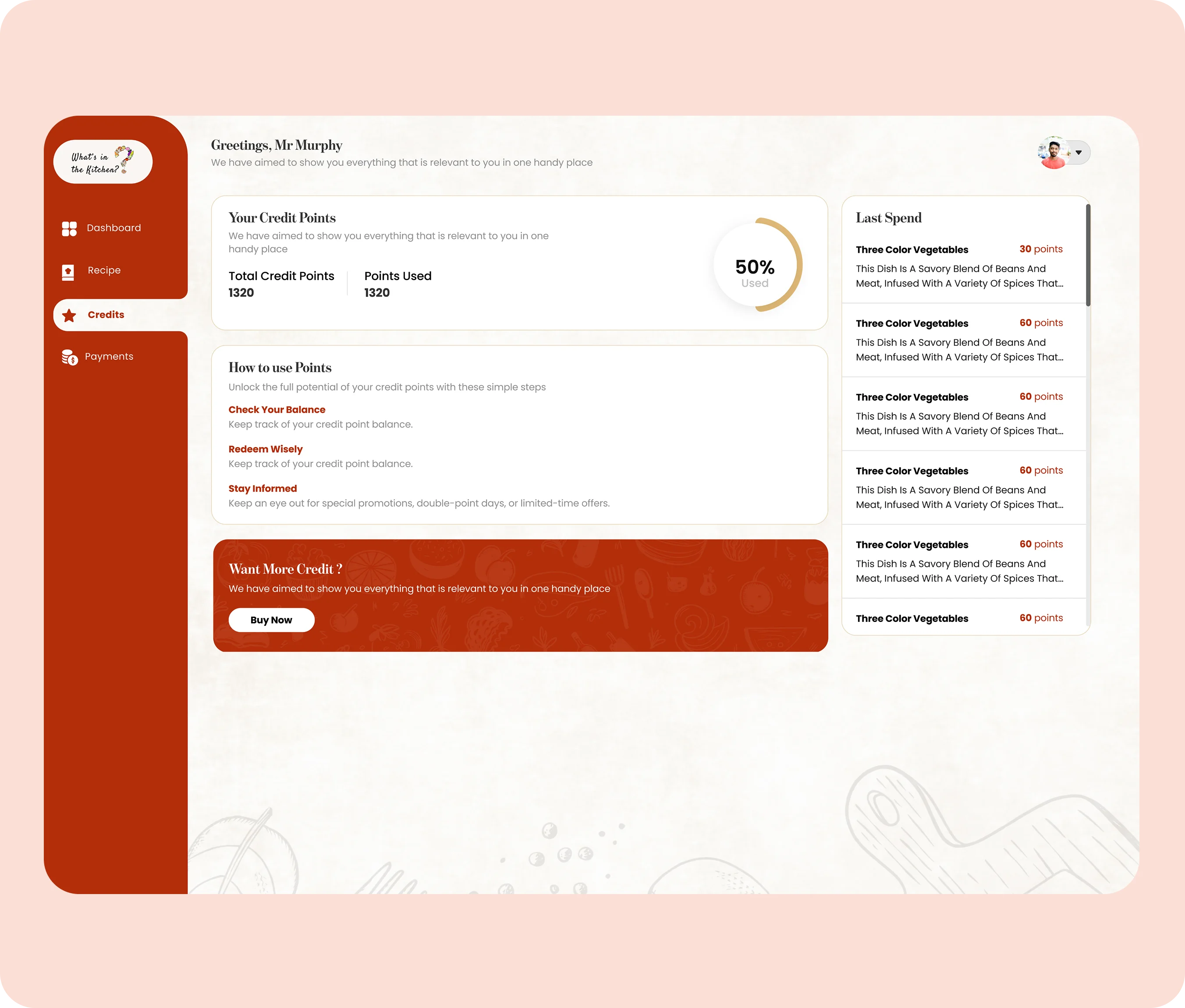
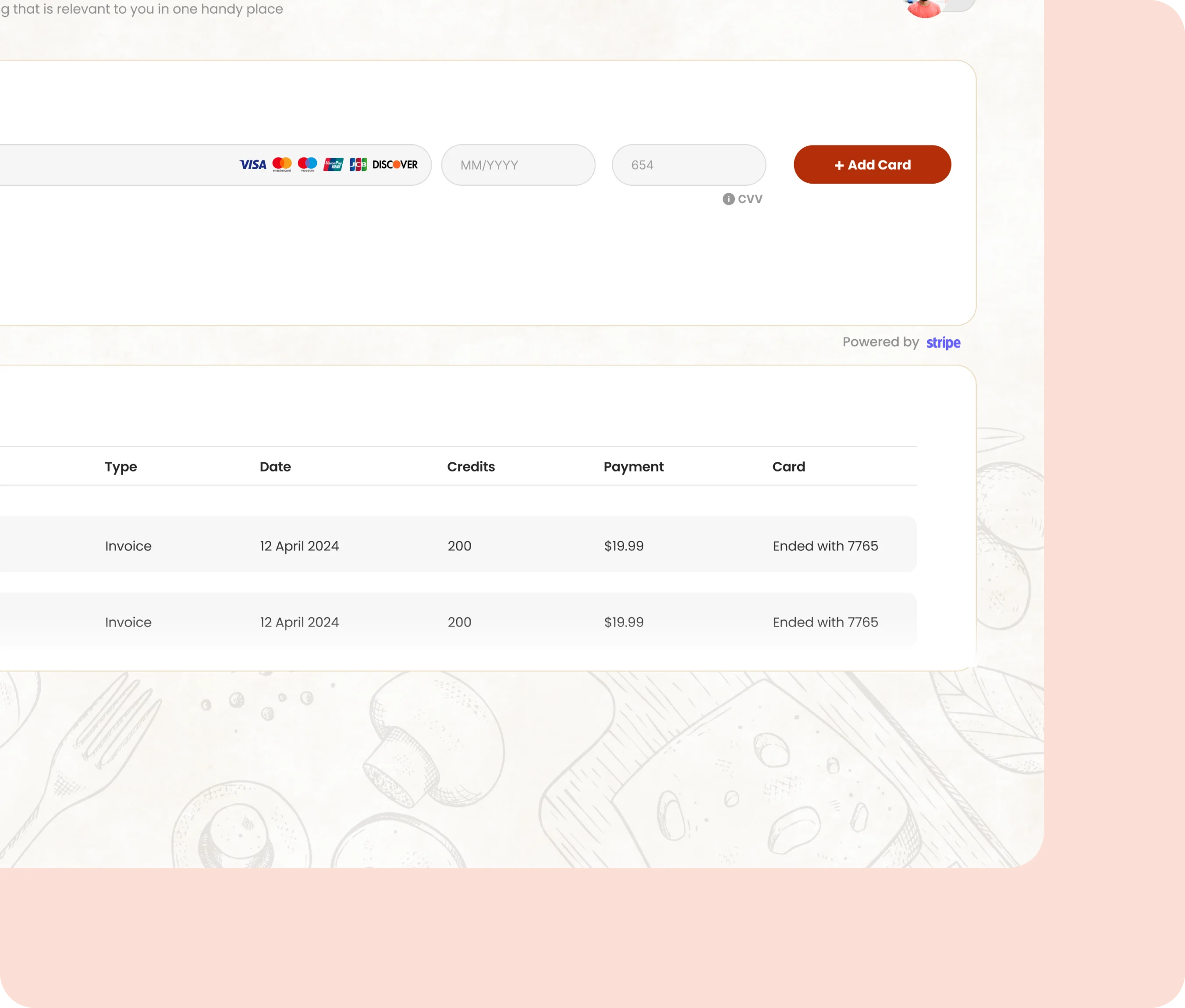
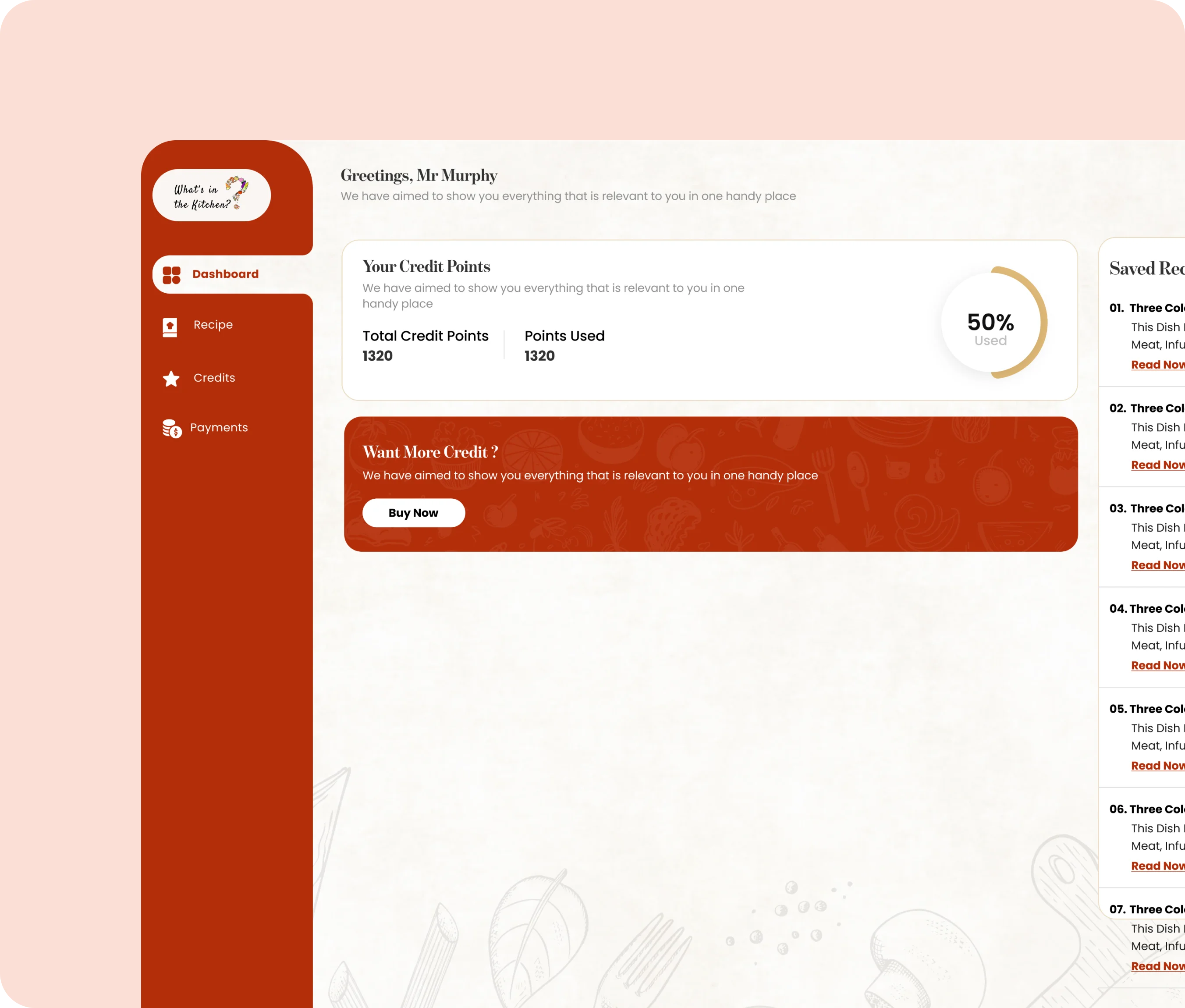
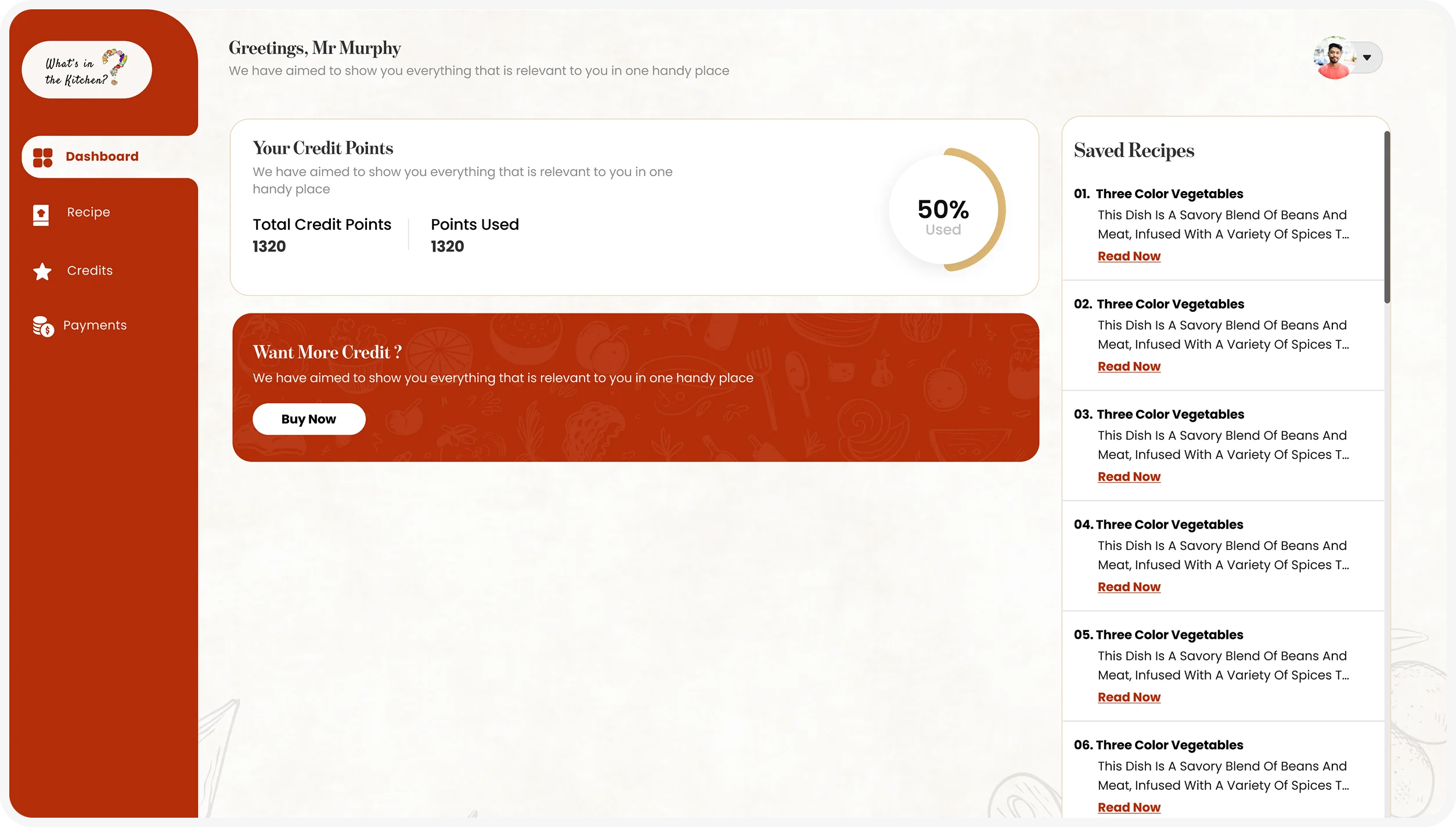
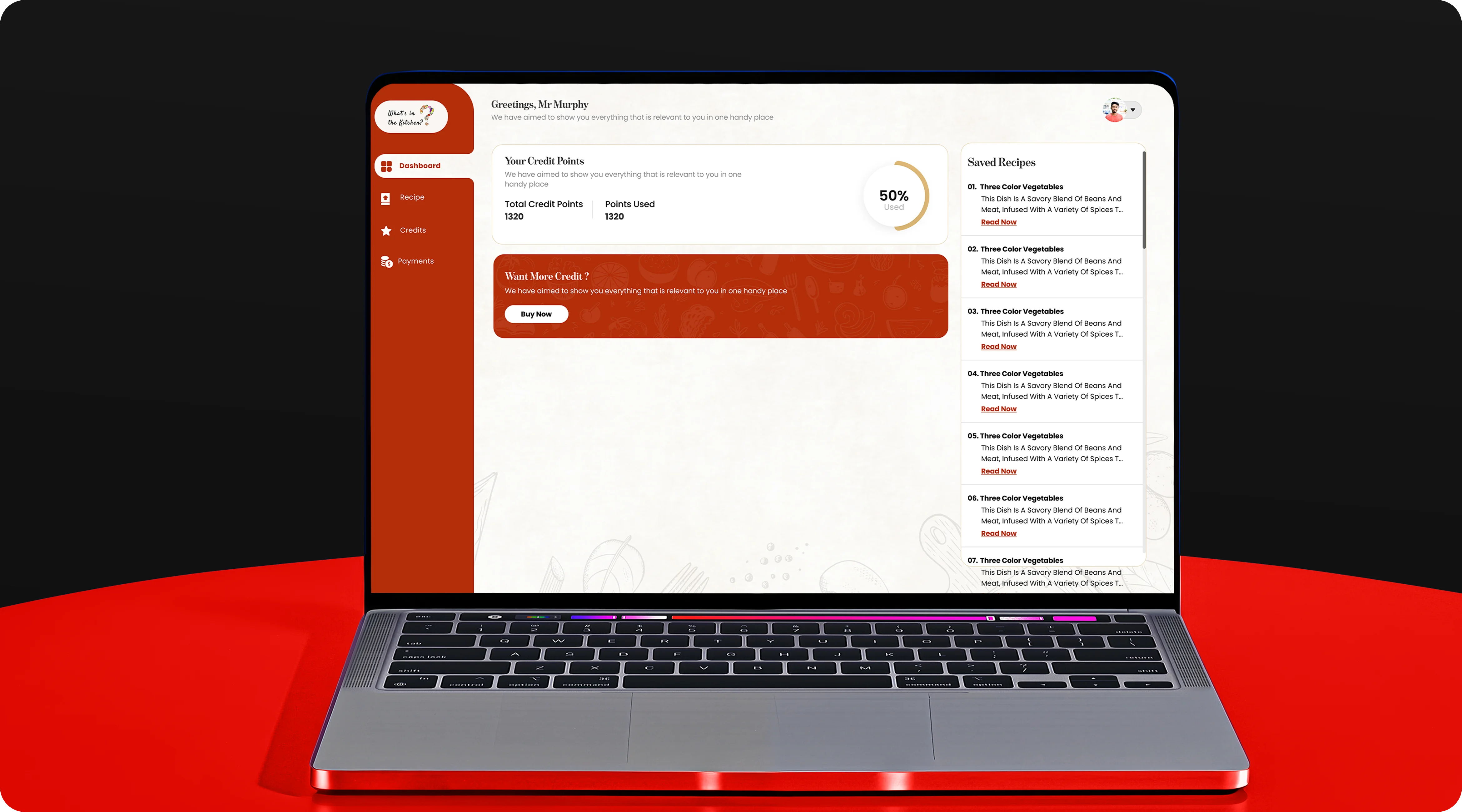
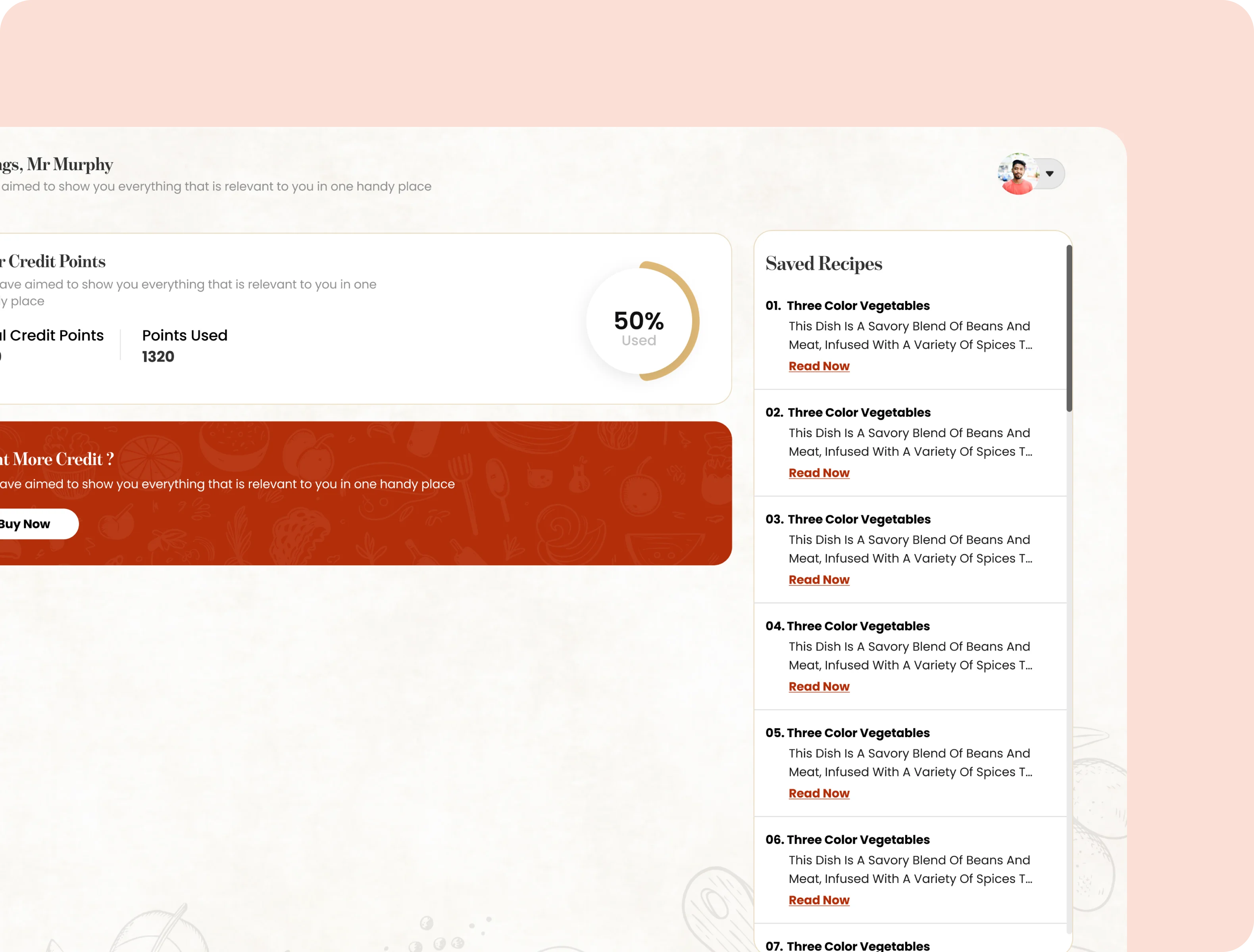
What’s in the Kitchen? is a recipe-focused web application designed to give users one clear place to access recipes, manage credit points, review spending, and handle payments. The experience brings recipe discovery and account management together through a simple, familiar dashboard.
Recipe Platform
Dashboard UI
Payment Management
Laptop screen showing SpecBooks homepage with kitchen fixtures and featured product categories.

Challenge

The main challenge was organizing several different actions without making the dashboard feel complicated. Users needed to browse recipe content while also understanding available credits, previous spending, card details, and payment history. The interface needed to keep all of this information accessible without overwhelming the user.
Tablet displaying a kitchen ad for design-centric fixtures with a stainless steel stove and white cabinets.
SpecBooks logo with stylized circular dot design on black background.SpecBooks logo with stylized circular dot design on black background.

Our Process

Discovery

We reviewed the product goals, core dashboard features, and key user actions to understand how recipes, credits, and payments should work together.

Deliverables

User Needs
Feature Mapping
Product Goals

Research

We studied common dashboard patterns and account management flows to identify the simplest structure for frequent user actions.

Deliverables

UX Research
User Flow
Dashboard Patterns

UI/UX Design

We designed a warm, food-inspired interface with clear cards, simple navigation, and strong hierarchy across recipes, credits, and payment sections.

Deliverables

wireframes
UI Design
Design System

Web Dashboard Development

The experience was structured for desktop use with reusable components, consistent layouts, and clear content states across each dashboard section.

Deliverables

Web App
Responsive UI
Data Management

QA & Testing

We reviewed navigation, readability, form states, credit information, and payment screens to make sure each interaction remained clear and consistent.

Deliverables

UX Review
UI Testing
Bug Fix

Results

The final dashboard brings recipe access, credit tracking, and payment management into one organized experience. Users can quickly understand their available points, review recent activity, manage payment methods, and move between account sections with less effort.
Product types displayed: Outdoor lighting, lighted medicine cabinets & mirrors, kids room lighting, and bedroom lighting.Digital device on a table displaying the logo Sp Books with a play button in the middle.Tablet screen showing text: Design-Centric Kitchen Fixtures with a blue shop button.

Our Approach

We focused on reducing complexity through clear hierarchy, familiar dashboard patterns, and consistent components. Recipe content and account management were treated as one connected experience rather than separate tools. Warm visual styling supports the food-focused brand, while structured cards and navigation keep the interface practical.

Technologies

Figma Icon Technologies casestudy
Figma
Figma Icon Technologies casestudy
React
Figma Icon Technologies casestudy
Node.js
5/5 Review
“The dashboard made the entire experience feel much simpler. Recipe access, credits, and payment information are now easy to understand and manage from one place.”
Black stylized quotation marks on a white background.
VaultDesk Team

Other Case Studies

See All Work

Working on something? Let's talk.

Whether you run a SaaS startup, a healthcare practice, a real estate business, or a growing service company, if you need a design and engineering team that ships well and stays in the relationship, we'd love to chat.
Zubair reads every email personally. Most responses come within 24 hours.