The Decision Every SaaS Founder Faces
Website Hosting Explained and Who Handles It on Your Site

Zubair Ali Akbar
What is website hosting, and does it change your speed? Plain words on shared, VPS and managed plans, who hosts on each platform and what to ask first.
Website hosting explained in one line: your website has to live somewhere, and that place is called hosting. It quietly decides how fast your pages load and who fixes things when they break.
Most owners never choose it on purpose. It comes bundled with a builder, or an old agency set it up years ago.
Quick answer. Hosting is the computer that stores your website and sends it to visitors. A cheap shared plan is fine for a small, quiet site. A busy site needs steadier hosting. On Webflow, Framer or Shopify the platform hosts for you. On WordPress or custom code, you choose the host.
Website hosting explained in plain words
Think of renting a shop unit. The website is your shop. Hosting is the unit, the electricity and the front door that stays open.
When someone types your address, the host's computer (called a server) sends your pages to their phone. If the server is slow or switched off, your shop looks closed.
What are the main kinds of hosting?
There are three you will hear about most.
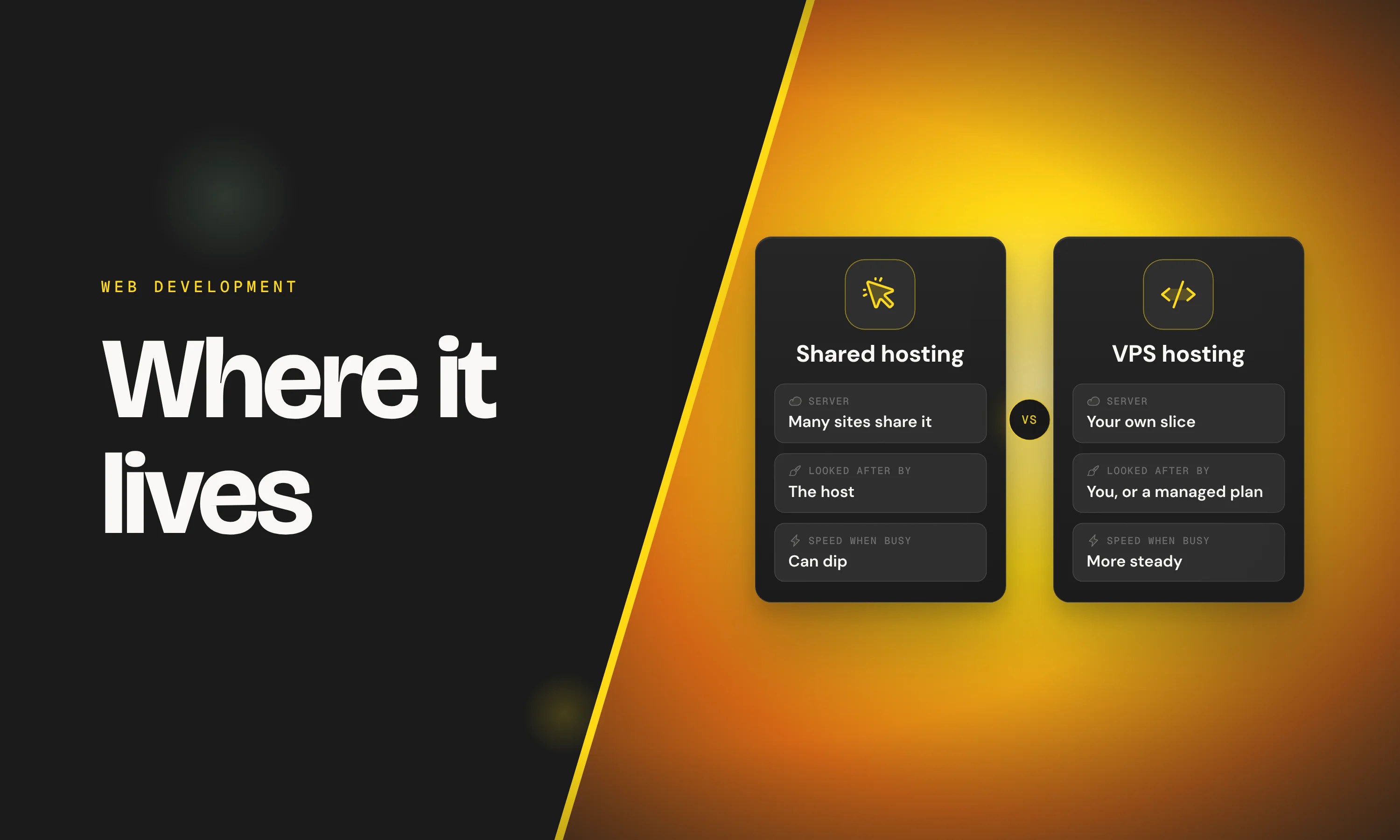
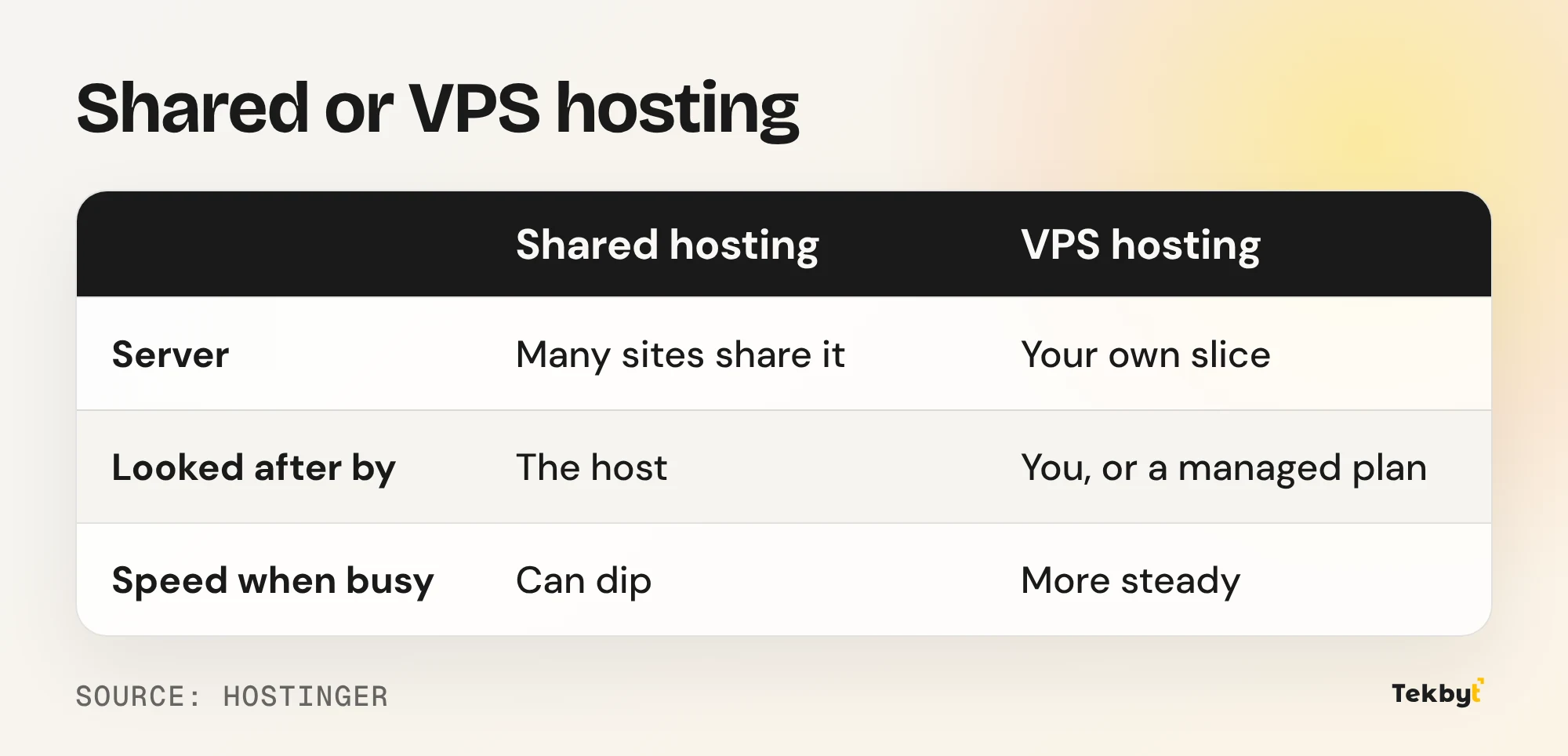
- Shared hosting. Many websites sit on one server and share its power. It is cheap and simple.
- VPS hosting. A VPS (virtual private server) gives you a reserved slice of a server. It is steadier, and costs more.
- Managed hosting. The host also looks after updates and security for you.
Hostinger describes shared hosting as a fit for small sites with low to moderate traffic, and VPS as a fit for growing sites and stores. You can read their shared vs VPS comparison.
Does hosting change how fast my website feels?
Yes, but it is only one part.
Hosting affects how quickly the first piece of your page arrives. Google's web.dev guide says a good wait is 0.8 seconds or less.
Big images, heavy plugins and too many add-ons slow a site down too, even on great hosting. Fast hosting cannot rescue a heavy page.
On a shared plan, a busy neighbour can slow you down. Hostinger calls this the noisy neighbour effect, like a loud party next door at your shop.
Who handles hosting on each kind of website?
This is the part most guides skip. The answer changes with the tool.
- Webflow and Framer. The platform hosts the site. You pay one plan and do not pick a server.
- Shopify. Hosting is part of the plan, so there is nothing to buy separately.
- WordPress. You choose and pay a host yourself. That gives you choice, and a job to own.
- Custom code. Your developer picks a host to suit the site and keeps it running.
Not having to choose is a real benefit for many owners. Choosing yourself gives more control.
Neither is better for everyone. Our guide on Webflow vs WordPress shows how this plays out week to week.
What should you ask before choosing a host?
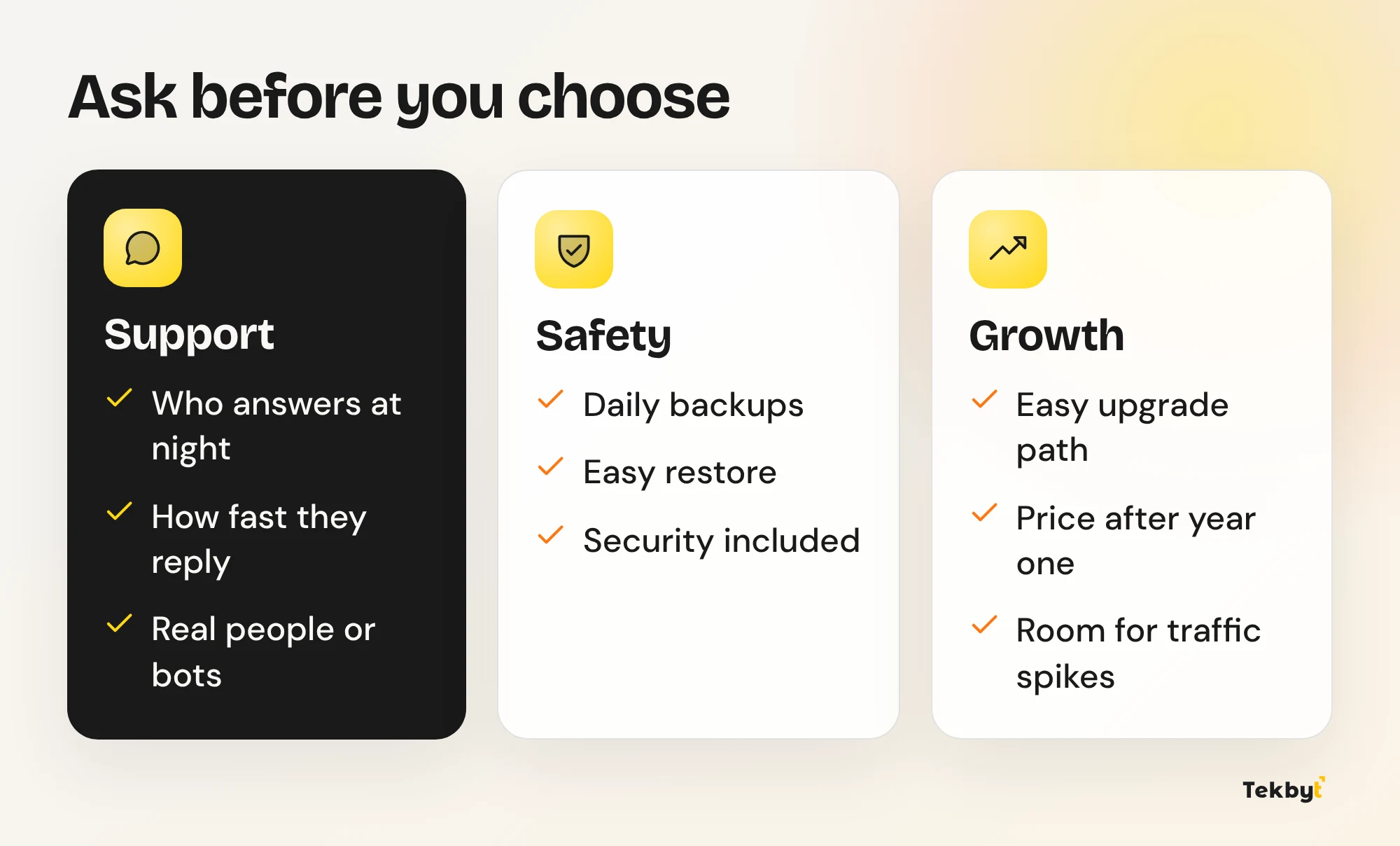
If you keep the same host for years, these answers matter more than the first price. Renewal prices are often higher, so read the small print.
Who looks after hosting when something breaks?
Hosting is part of upkeep. Someone must watch that the site is up and backups exist.
Our guide on website maintenance and who does what lists each job by platform. If you are still deciding how to build, read website builder vs custom website.
If you want a site where hosting is not your problem, our web development team can explain the options on a short call.
The honest answer
Hosting is rarely the reason a small site is slow. It is often the reason a site goes down at the worst moment.
Pick the simplest hosting that fits your site, know who watches it, and move up only when the site outgrows it. Be wary of anyone who sells the biggest plan to a small shop.
Not sure where your site lives or who looks after it? Tell us your situation and we will point you the right way. Book a 30 minute call.