The Decision Every SaaS Founder Faces
Headless CMS Explained for Business Owners in Plain Words

Zubair Ali Akbar
A headless CMS explained in plain words for business owners. What it is, when it helps, when a normal website builder is enough, and which questions to ask a developer first.

Your developer says "let's use a headless CMS" (a setup where the editing tool and the public site are built separately). Here is headless CMS explained in plain words, so you know who it helps and who can skip it.
Quick answer. A CMS (content management system) is the place where you edit your pages. A headless CMS keeps only that editing part and lets a developer build the public site separately. It helps when one set of content feeds many places. For a normal business site, it often adds cost you do not need.
Headless CMS explained with a restaurant
Picture a restaurant. The kitchen makes the food. The dining room is where guests see it.
In a traditional CMS, such as WordPress, the kitchen and dining room are one building. You edit and the site shows it, all in one place.
A headless CMS is only the kitchen.
It stores your text, images and prices.
A separate front end (the part visitors see) asks for that content and displays it. The "head" is the display, and it is left off on purpose. Contentful, a headless CMS vendor, explains the idea in its own guide.
How is it different from a normal website setup?
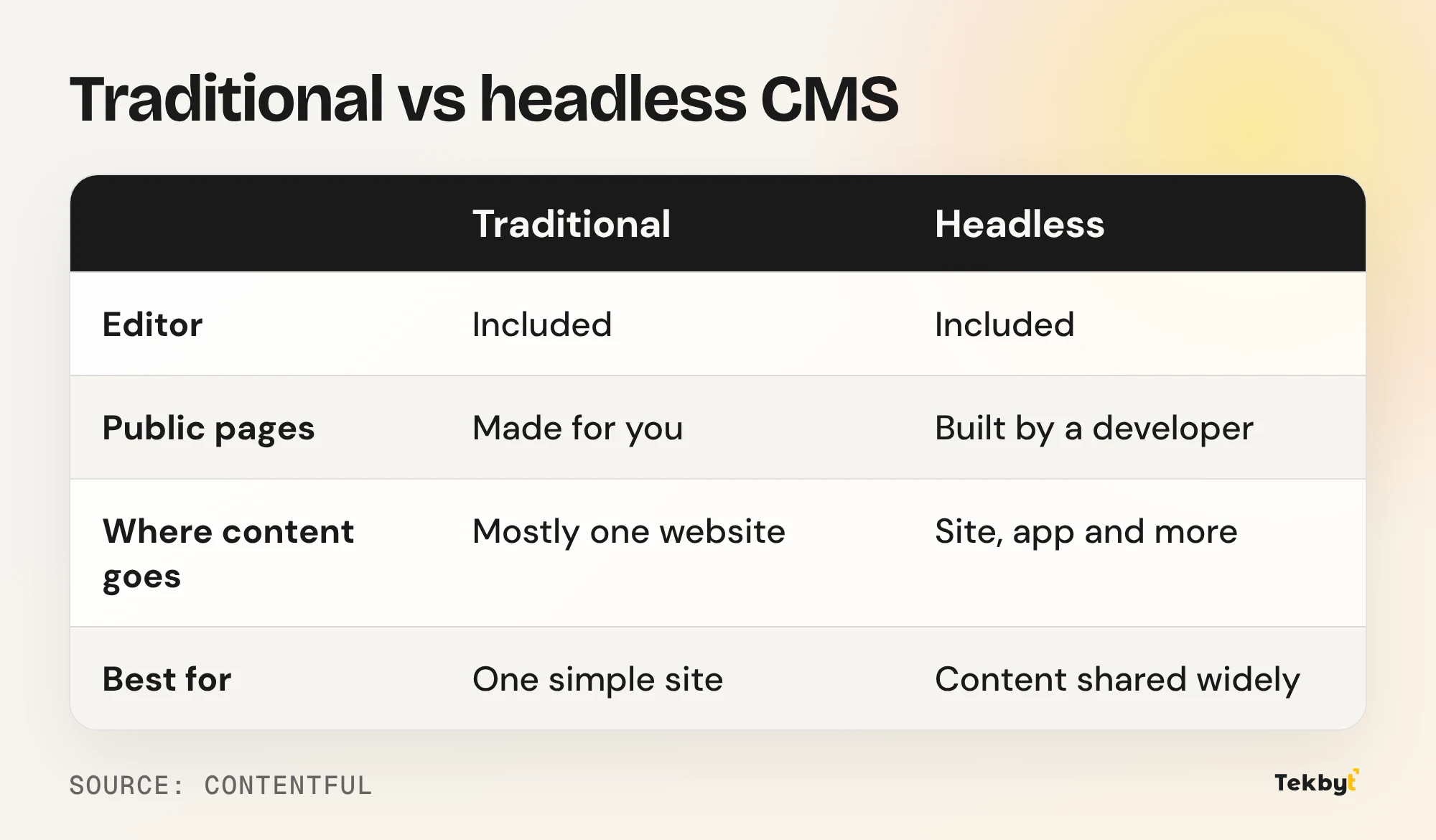
The big difference is who builds the dining room.
- Traditional: the CMS gives you the editor and the finished pages.
- Headless: the CMS gives you the editor only. A developer builds the pages.
That second line is the catch. Someone must write and look after the front end, usually with code such as Next.js. Sanity, another vendor, admits this can raise setup effort in its overview.
When does going headless make sense?
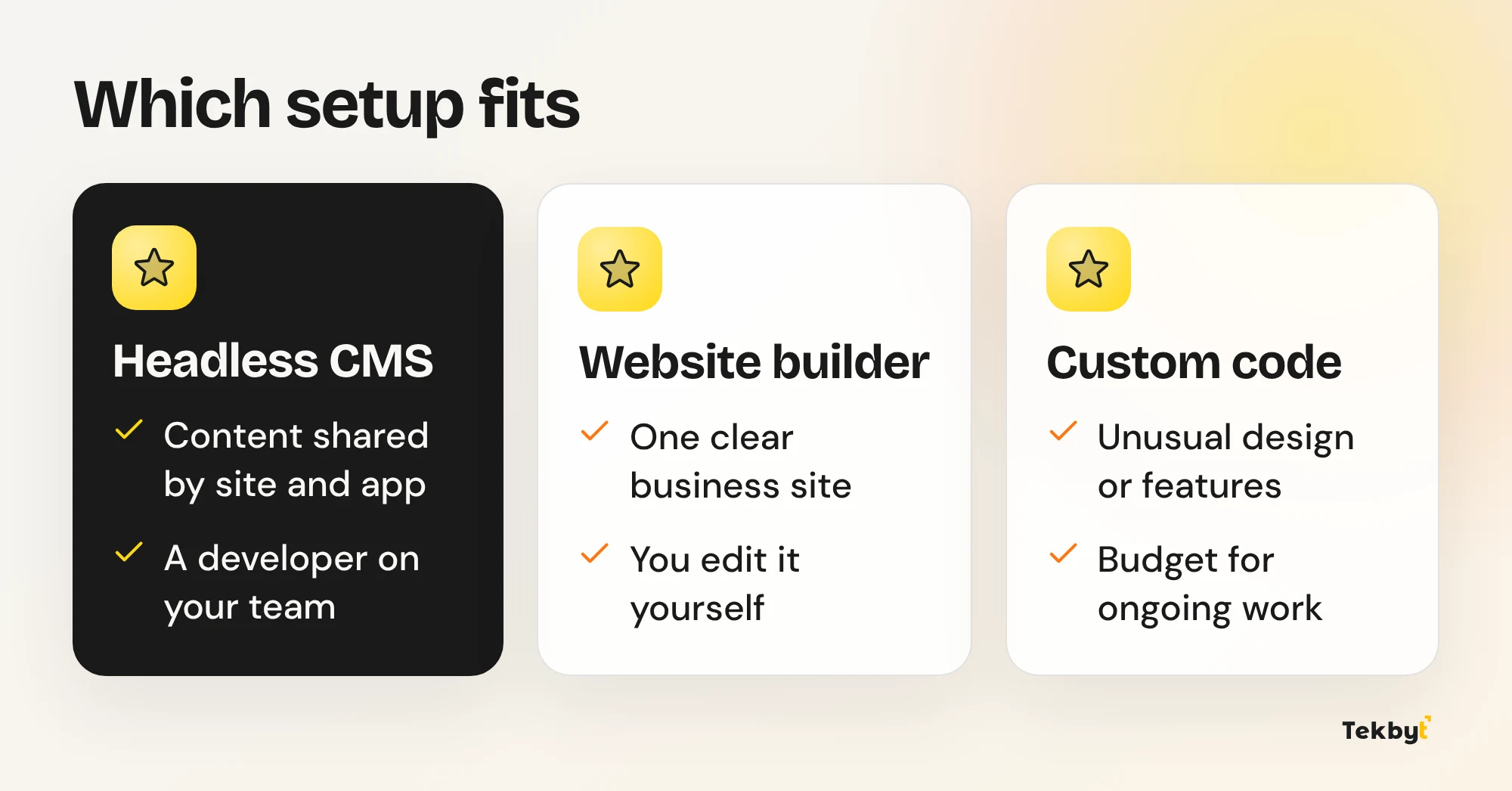
It makes sense when the same content must show up in several places.
- A website and a mobile app that share one product list.
- Several sites run by one company, all pulling from one source.
- A custom design that a template cannot do.
- A team that already has developers on staff.
A clinic group with one website per city is a good example. The doctors list is written once and shown everywhere.
When is it more than you need?
For most small business sites, it is. If you run one website with a few dozen pages, a normal builder is simpler.
Think of renting a full commercial kitchen to make toast. It works, but you pay for space you never use.
Both vendors we read point the same way. Their own pages say a traditional CMS can fit simple sites managed through the platform editor, or when nobody can pay a developer.
Do you still need a developer after launch?
Yes, more often than with a builder. Editors can change text on their own. But a new page layout, a new section or a new feature usually needs developer time.
Ask this before you agree to anything. Who changes the design in a year, and how long will it take?
What about Webflow, Framer and WordPress?
These are mostly the all in one kind, where editing and display come together. WordPress can also run headless, but then you build the front end yourself.
None of them is the right answer for every business. Our guide to Webflow vs Framer vs WordPress shows who each one suits. If an online store is your goal, Shopify vs a custom store covers where headless fits there.
What should you ask before you say yes?
Use these questions in your next call with any developer or agency.
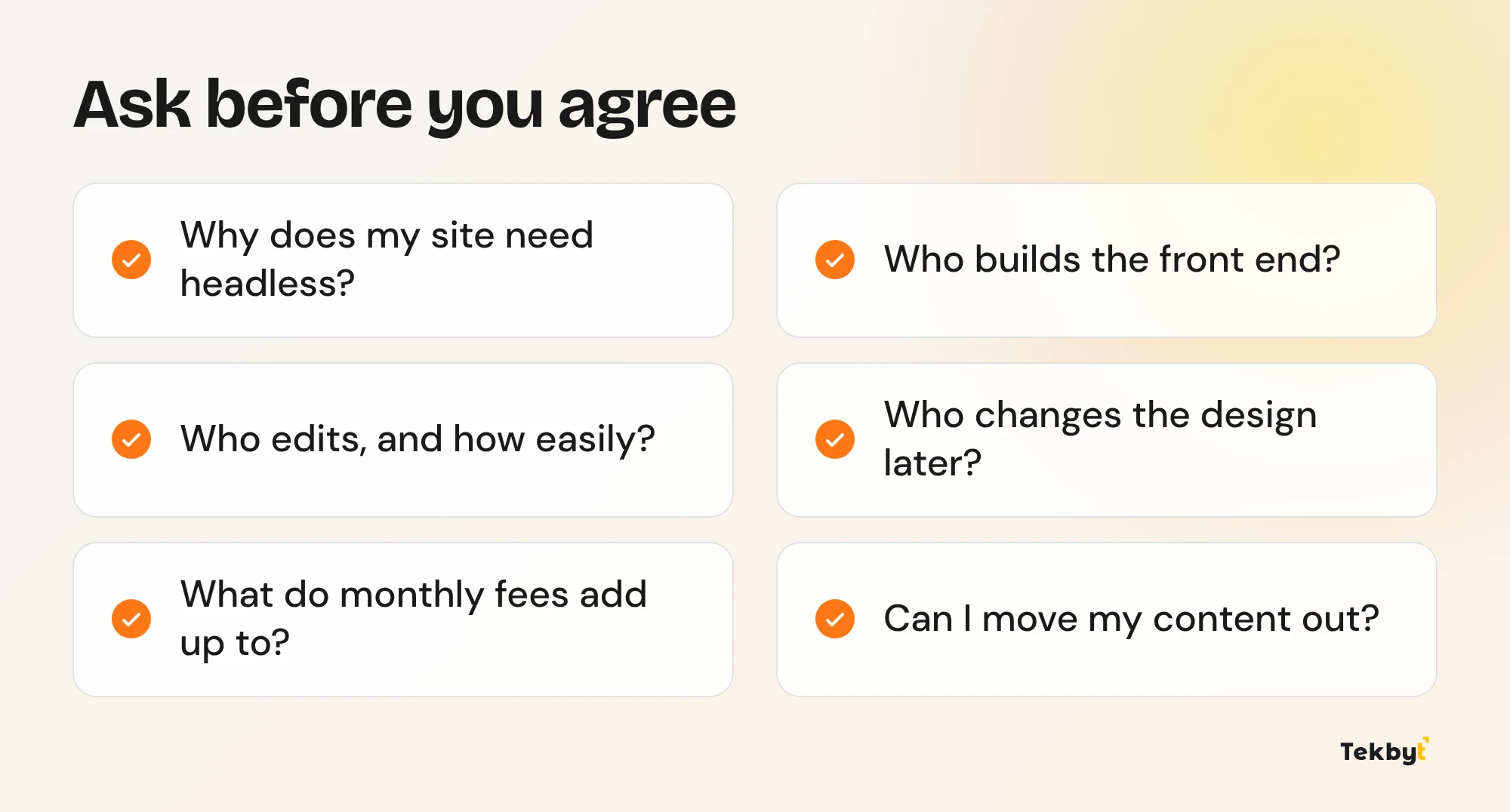
If the answers are vague, slow down. A good builder can explain the choice in everyday words. Our web development page shows how we work, and website builder vs custom website is a good first read.
The honest answer
Headless is a tool, not an upgrade. Choose it when one body of content must reach several places, or when your design truly needs custom code. Skip it when one clear website will do the job.
Not sure which setup fits your business? We will tell you plainly, even if the answer is the simpler one.
We design and build websites on Webflow, Framer and custom code. Book a 30 minute call.